
Buying Guides
Buying Guide: The Right Technology for Takealot Sellers in South Africa
Selling on Takealot requires more than finding products to resell. The right computers, scanners, printers, connectivity and support can help small businesses manage listings, stock, fulfilment and customer service with fewer avoidable delays.
28 July 2026 · Innozanzi editorial team
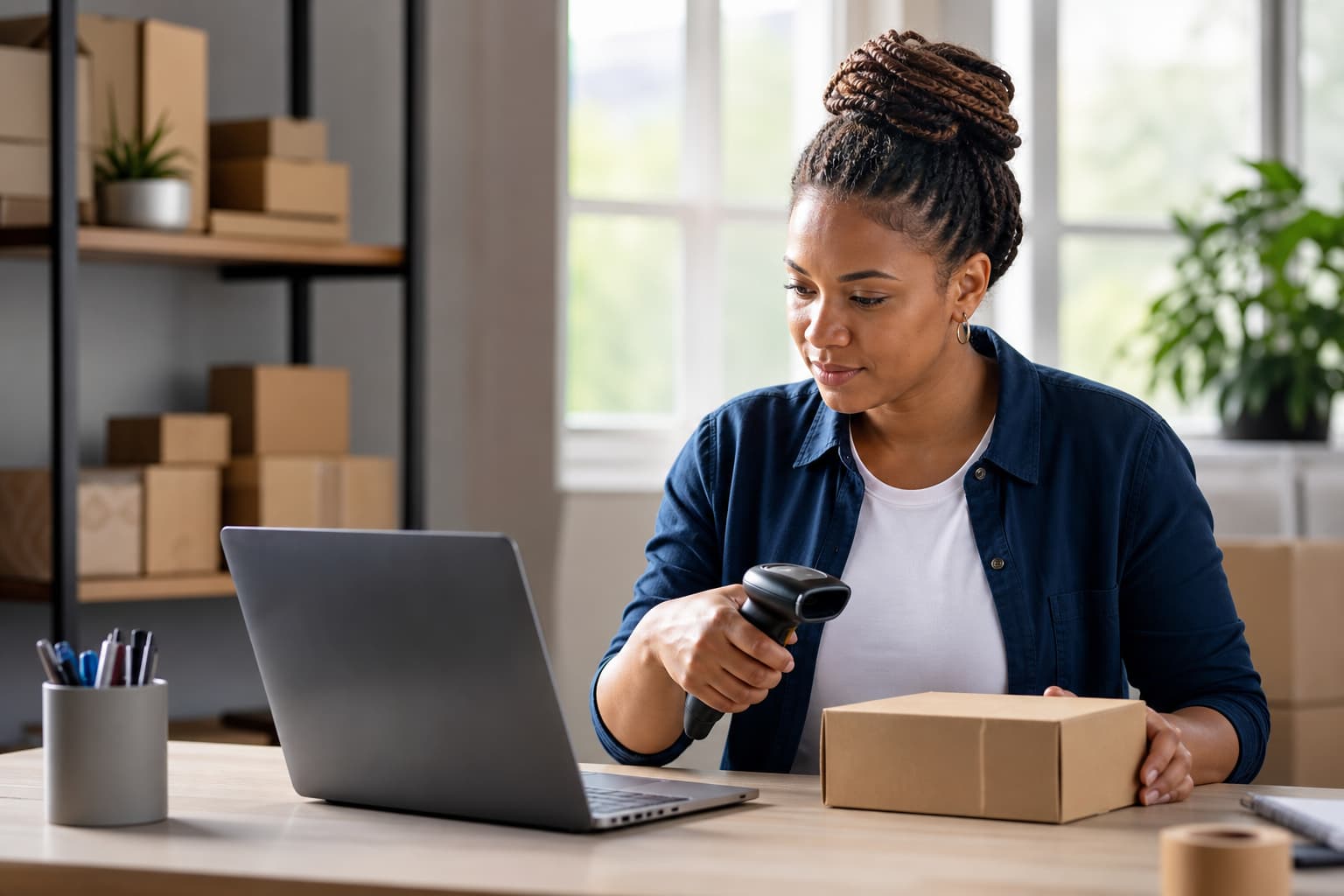
Why technology matters when selling on Takealot
Selling on Takealot can give a small business access to customers across South Africa, but marketplace selling also creates a daily operating workload. You may need to manage product listings, monitor stock, prepare orders, answer customer queries, process returns and keep financial records.
The technology you choose should support those activities without creating unnecessary cost or complexity. A reliable laptop, accurate barcode scanner, suitable printer and stable internet connection may be more valuable than buying the most powerful equipment available.
InnoZanzi can help Takealot sellers assess their current workflow and procure business technology around the work they actually do. The aim is not simply to sell equipment. It is to help you choose practical tools that fit your products, order volume, workspace and budget.
Start with your selling workflow
Before buying equipment, map out how an order moves through your business. Ask:
- Where do you receive and manage orders?
- How do you check stock before accepting or fulfilling an order?
- How are products labelled, packed and handed over for delivery?
- How do you record purchases, sales, returns and supplier invoices?
- Which tasks are slowing you down or causing errors?
Takealot’s delivery information makes clear that fulfilment timing depends on the delivery method, destination and order details. For sellers, this means that delays in preparing or handing over orders can affect the customer experience. ([takealot.com](https://www.takealot.com/help-centre/delivery/about-delivery-options-time-frames?utm_source=openai))
Your answers will help determine whether you need a basic workstation or a more structured setup with dedicated scanning, printing, backup power and inventory tools.
Choosing a laptop or desktop computer
A computer is usually the main control point for a Takealot business. It may be used for Seller Centre activities, product research, listing updates, order administration, email, accounting and supplier communication.
For most small businesses, prioritise:
- A current business-class laptop or desktop with enough memory for browser-based systems and office applications
- A solid-state drive for faster start-up and file access
- A comfortable keyboard and screen for long administrative sessions
- Sufficient USB ports for scanners, printers and external storage
- A warranty and support arrangement that suits your business
A laptop is useful if you work from different locations or need to take the computer to supplier meetings. A desktop may provide better value for a fixed packing station, especially when paired with a larger monitor and separate keyboard.
Avoid choosing solely on processor specifications. A lower-cost computer that is dependable, easy to support and suitable for your software may be a better business decision than a high-performance device that your operation does not need.
InnoZanzi can help you compare specifications against your workload rather than buying on technical terms alone. That is particularly useful when you need several devices for administration, customer support and packing.
Barcode scanners and stock accuracy
If your range contains many similar products, a barcode scanner can reduce manual typing and help staff identify products more consistently. It can be useful when receiving stock, checking an item before packing, or investigating a return.
Look for a scanner that is:
- Comfortable to use repeatedly
- Compatible with your computer or inventory software
- Suitable for the barcode formats used on your products
- Wired or wireless according to the layout of your workspace
- Supported by a supplier that can assist if configuration is required
A scanner will not replace a proper stock process. You still need clear product names, internal stock codes and regular stock checks. However, it can reduce avoidable mistakes when products have similar descriptions or variants.
Keeping stock information current is also important because customer orders depend on products being available when promised. A simple process using a scanner, spreadsheet or inventory system can be more reliable than relying on memory.
Label printers and packing equipment
A dedicated label printer can be helpful when your business regularly prints product labels, shipping labels, barcode labels or internal stock identifiers. It may reduce the time spent adjusting ordinary A4 pages and make labels easier to read.
Before selecting one, consider:
- The size and type of labels you need
- Whether you need black-and-white or colour printing
- How many labels you expect to print in a normal day
- The cost and availability of compatible consumables
- Whether the printer works with your existing computer and software
Do not buy a label printer before confirming the label format required by your workflow. The correct choice depends on how you prepare orders and which fulfilment process you use.
Packing technology also includes a reliable monitor, document printer, weighing scale, storage shelving and protective packaging. These items may appear basic, but an organised packing station can make it easier to check the correct product, quantity and accessories before dispatch.
Takealot’s customer returns guidance highlights the importance of returning products with their original packaging, parts and accessories where applicable. Careful packing and a documented checking process can therefore support both dispatch quality and returns handling. ([terms-and-policies.takealot.com](https://terms-and-policies.takealot.com/?utm_source=openai))
Connectivity, Wi-Fi and backup power
A seller’s operation can be disrupted when the internet connection is unstable or equipment loses power. This is especially relevant when you are updating listings, responding to customers, printing labels or processing orders close to a handover deadline.
Depending on your premises, useful equipment may include:
- A business-grade router or mesh Wi-Fi system
- A network switch for wired devices
- A small uninterruptible power supply for the router and key computer equipment
- Surge protection for computers, printers and networking devices
- Mobile connectivity as a temporary backup
The right solution depends on the size of your workspace and the availability of fixed-line, fibre or mobile services at your location. InnoZanzi can help you assess which equipment should be connected, protected and prioritised during an outage.
A UPS is not intended to keep every device running indefinitely. Its practical role is to provide short-term continuity, allow you to save work properly and keep essential networking equipment operating during brief interruptions.
Financial records and business administration
Technology for Takealot selling should also support accurate administration. Keep supplier invoices, receipts, sales records, payment evidence and other documents in an organised system. SARS states that good record keeping helps small businesses support information declared in tax returns, and that supporting documents should be retained. ([staging.sars.gov.za](https://staging.sars.gov.za/wp-content/uploads/Docs/SmallBusiness/Small-business-leaflet-ENG.pdf?utm_source=openai))
If your business is VAT-registered, supplier documentation is particularly important. SARS explains that a valid tax invoice must contain prescribed information, including supplier details, invoice number and date, a description and quantity of goods, and the value and tax charged. ([sars.gov.za](https://www.sars.gov.za/businesses-and-employers/government/tax-invoices/?utm_source=openai))
A practical setup could include:
- A computer with controlled user access
- Cloud or external-drive backups
- A consistent folder structure for invoices and supplier documents
- Accounting or bookkeeping software suited to your business
- A printer or scanner if you still receive paper documents
InnoZanzi’s value can extend beyond supplying a device by helping you think through how equipment, software, connectivity and support fit together. You should still confirm tax and accounting requirements with your accountant or SARS.
Why buy through a technology partner?
For a small Takealot seller, buying from a business technology provider can be useful when you need more than a single consumer device. A technology partner can help you:
- Translate your workflow into equipment requirements
- Compare options without focusing only on headline specifications
- Standardise devices as your team grows
- Plan connectivity and backup power
- Set up peripherals such as scanners and printers
- Troubleshoot problems when equipment affects daily operations
- Review and refresh the setup as order volumes change
InnoZanzi describes its work as helping organisations define, build and support technology systems, including cloud and business systems. ([innozanzi.co.za](https://www.innozanzi.co.za/products/talentedge?utm_source=openai)) For a marketplace seller, that kind of support can be relevant when technology is becoming part of the operating process rather than an occasional purchase.
This does not mean every seller needs a complex IT environment. A sole trader with a small product range may only need one dependable computer, a backup plan and a clear stock process. A growing seller may benefit from dedicated scanning, printing, networking and user support.
A practical buying checklist
Before requesting a quotation, prepare:
- Your approximate number of products and product variants
- Average and peak daily order volumes
- The number of people using the system
- Your current computer, printer and internet equipment
- The labels, barcodes and documents you need to print
- Your workspace layout and power limitations
- Your preferred budget range
- Any software or accounting systems already in use
Ask the supplier to explain compatibility, warranty coverage, installation and support separately from the equipment itself. Also confirm consumable costs for labels, toner, batteries and other items that affect ongoing operating expenses.
Conclusion
The best technology setup for a Takealot seller is the one that makes routine work more accurate and manageable without adding unnecessary overhead. Start with the bottleneck in your process, then choose equipment that addresses it.
If you are unsure whether you need a new laptop, scanner, label printer, network upgrade or backup-power solution, speak to InnoZanzi about your workflow and requirements. A practical assessment can help you buy only what supports the next stage of your business.