
Business Technology
How South African SMEs Can Choose a UPS for Load Shedding Without Overspending
A practical guide to sizing a UPS, prioritising essential devices and avoiding the common mistakes that make backup power more expensive than it needs to be.
28 July 2026 · Innozanzi editorial team
Start with the business problem, not the biggest UPS
A UPS, or uninterruptible power supply, is useful when a small business needs to keep selected technology running during a power interruption. It can also help protect connected equipment from voltage fluctuations and give staff enough time to save work or shut systems down safely. It is not, however, a substitute for a full inverter-and-battery installation designed to power an entire office for many hours. ([se.com](https://www.se.com/us/en/work/support/product-support/ups-buying-guide-for-selecting-a-battery-backup-system/?utm_source=openai))
South Africa’s electricity situation has improved materially: Eskom reported 365 consecutive days without loadshedding in May 2026 and more than 413 days without loadshedding by July 2026. Localised outages, power-quality problems, municipal interruptions and the possibility of future scheduled cuts still make continuity planning relevant for many SMEs. ([eskom.co.za](https://www.eskom.co.za/eskom-delivers-365-days-without-loadshedding-advancing-the-economy-competition-and-the-integration-of-renewable-energy/?utm_source=openai))
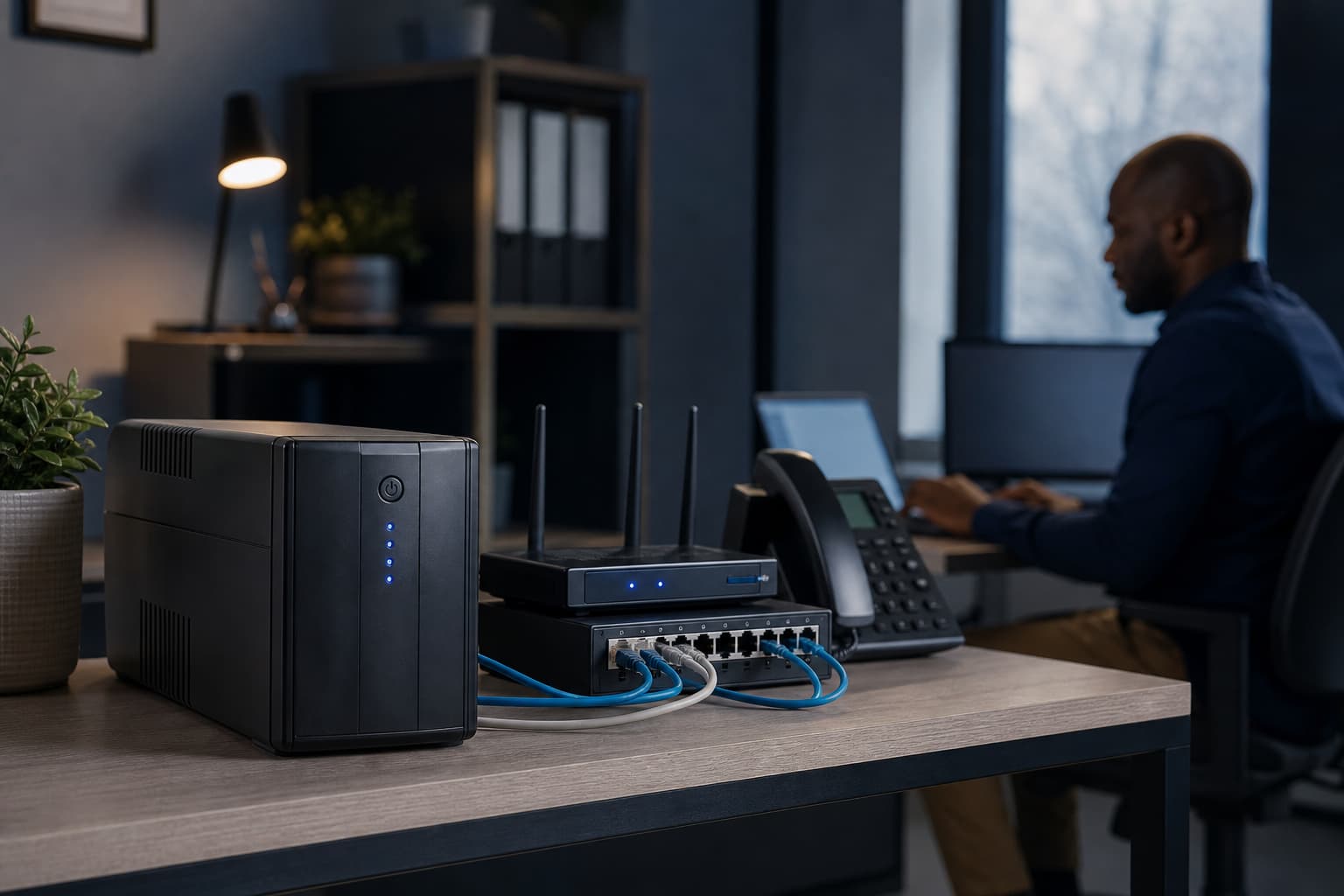
The most cost-effective approach is usually to protect the technology that keeps the business operating, rather than trying to run every appliance. That might mean a fibre or LTE router, Wi-Fi access point, network switch, point-of-sale device, desktop computer or small server.
Decide what must stay on
Before comparing models, list the equipment that genuinely needs backup power. For many small offices, the priority order may look like this:
- Internet connection: router, ONT or fibre termination box
- Network equipment: switch, firewall or Wi-Fi access point
- Point-of-sale, access-control or security equipment
- One essential desktop computer or monitor
- Small server, NAS or communications equipment
Printers, kettles, heaters, large monitors and other non-essential loads usually do not belong on a small UPS. Laser printers and similar devices can have high startup or heating loads, which may overload a UPS even if their average consumption appears modest.
Separating essential and non-essential equipment is one of the simplest ways to reduce the required UPS size. A smaller UPS supporting a carefully selected load can be more practical than a larger unit attempting to keep the whole office running.
Understand watts, VA and headroom
UPS capacity is commonly shown in both watts (W) and volt-amperes (VA). Watts represent the real power consumed by equipment; VA reflects the electrical load presented to the UPS. The two figures are related by power factor, so a UPS with a high VA number is not necessarily capable of delivering the same number of watts. Eaton and Schneider Electric both recommend checking the watt capacity as well as the VA rating when sizing a UPS. ([se.com](https://www.se.com/us/en/work/support/product-support/ups-buying-guide-for-selecting-a-battery-backup-system/?utm_source=openai))
Create a simple load list using the equipment labels, manufacturer documentation or a plug-in power meter. Add the expected wattage of the devices that will run from the battery outlets.
For example, if the protected equipment draws a combined 300 W, do not select a UPS rated at exactly 300 W. A margin is needed for startup demand, measurement uncertainty and modest future expansion. Schneider Electric recommends around 20–30% additional watt capacity, while Eaton’s sizing guidance recommends at least 15% additional capacity for growth. ([se.com](https://www.se.com/us/en/work/support/product-support/ups-buying-guide-for-selecting-a-battery-backup-system/?utm_source=openai))
A practical target would therefore be a UPS with at least 360–390 W of usable output for a measured 300 W load. Always confirm both the watt and VA limits in the manufacturer’s specifications, because exceeding either limit can cause an overload.
Choose runtime deliberately
Runtime is often where buyers overspend. A UPS designed for a few minutes of backup is a different solution from one intended to keep equipment running through a lengthy outage.
Ask what the UPS must achieve:
- **Immediate continuity:** Keep a router, ONT and switch online while the power changes over.
- **Safe shutdown:** Give a computer or server enough time to save data and shut down correctly.
- **Short operational bridge:** Keep essential systems available for a limited period while staff finish a transaction or move to another process.
- **Extended operation:** Continue working for several hours without grid power.
Many desktop UPS units are designed primarily for short runtimes and orderly shutdowns. Runtime falls as the connected load increases, and manufacturer runtime tables are estimates that depend on battery age, temperature, load and operating conditions. Schneider Electric advises checking the runtime graph for the specific UPS and load rather than relying on a generalised number. ([se.com](https://www.se.com/us/en/work/support/product-support/ups-buying-guide-for-selecting-a-battery-backup-system/?utm_source=openai))
If the requirement is several hours of operation, compare a UPS with external battery capability, a dedicated DC backup unit for networking equipment, or an inverter-and-battery system. Buying a large conventional UPS for long runtime can be inefficient if the business only needs to keep low-power network equipment running.
Select the right UPS type
For most small-office computers and network equipment, a line-interactive UPS is often a sensible starting point. It can provide battery backup and automatic voltage regulation, helping manage some voltage variations without constantly using the battery. Schneider Electric describes line-interactive systems as generally suitable for home and office equipment, while online double-conversion systems are intended for loads requiring a higher level of power conditioning. ([se.com](https://www.se.com/us/en/work/support/product-support/ups-buying-guide-for-selecting-a-battery-backup-system/?utm_source=openai))
Consider an online double-conversion UPS when the load is unusually sensitive, the site has persistent power-quality problems, or downtime would be especially damaging. It is usually more complex and costly than a basic line-interactive unit, so it should be selected because the business requirement justifies it—not simply because it is the most advanced option.
For a router, fibre ONT or small network switch, a purpose-built DC UPS may also be worth considering. It can avoid converting from battery DC to AC and back again, but compatibility matters: voltage, connector type, polarity and current capacity must match the equipment exactly. When uncertain, ask a qualified technician to verify the arrangement.
Features worth paying for
A small business does not need every available feature. Prioritise the functions that reduce risk or maintenance effort:
- Battery-backed outlets for essential equipment
- Surge protection and voltage regulation
- A clear overload or battery-status indicator
- USB or network communication for automatic shutdown
- Replaceable batteries where long-term serviceability matters
- A runtime display or access to reliable runtime tables
- Sufficient outlets and the correct local plug format
Automatic shutdown software is especially useful for desktops, servers and NAS devices. It can allow a system to save data and shut down before the battery is exhausted. For basic networking equipment, the key requirements may instead be correct output voltage, enough runtime and easy battery replacement.
Avoid the common overspending traps
Do not choose solely by VA rating. Compare watt output, runtime at your actual load, battery replacement options and warranty terms. A 1,000 VA UPS with a lower watt limit may provide less usable capacity than another 1,000 VA model.
Do not assume a bigger battery automatically provides a better result. If the load includes unnecessary equipment, the additional capacity may simply be paying to run devices that do not protect revenue or operations.
Do not rely on a UPS to power a whole office indefinitely. Air conditioners, fridges, heaters and other high-draw appliances generally require a different backup-power design, electrical assessment and installation approach.
Finally, do not ignore the battery after purchase. Batteries are consumable components. Plan for periodic testing, keep ventilation clear, and replace batteries according to the manufacturer’s guidance or when runtime has materially deteriorated. A UPS that has not been tested may not provide useful protection when an outage occurs.
A practical SME buying checklist
Before requesting a quote, record:
1. The exact devices to be protected.
2. Their combined wattage and, if available, VA or power-factor information.
3. The minimum required runtime.
4. Whether automatic shutdown is required.
5. Whether the UPS will sit beside a desk, in a network cabinet or in a server room.
6. The expected need for battery replacement or future expansion.
Then ask the supplier to quote against the measured load and required runtime—not simply against a preferred VA number. A reputable technology provider should be able to explain the assumptions, identify any incompatible equipment and distinguish a short-runtime UPS from a longer-duration backup system.
Conclusion
For most SMEs, the best-value UPS is not the biggest unit available. It is the one correctly sized for a short list of essential devices, with enough watt capacity, realistic runtime and features that support safe shutdown and manageable maintenance.
Start by protecting connectivity, transactions and critical data. Measure the load, allow sensible headroom and choose runtime based on the business process you need to protect. If the requirement grows from a few minutes to several hours, reassess the solution rather than continually adding capacity to an unsuitable UPS. This approach helps a South African small business improve resilience without paying for backup power it does not actually need.